UPanelSlots in UMG
20 Dec 2025 - Leslie Apland
Purpose
UPanelWidgets include (but are definitely not limited to) Canvases, Overlays, Vertical and HorizontalBoxes, Buttons, WrapBoxes, and Scrollboxes. Anything that can contain at least one child widget uses UPanelSlots to hold the content of those children.
(Objects that descend directly from UPanelWidget can hold multiple children. UContentWidget descends from UPanelWidget, and objects that descend from UContentWidget can hold one child, like UButton, UBorder, and USizeBox.)
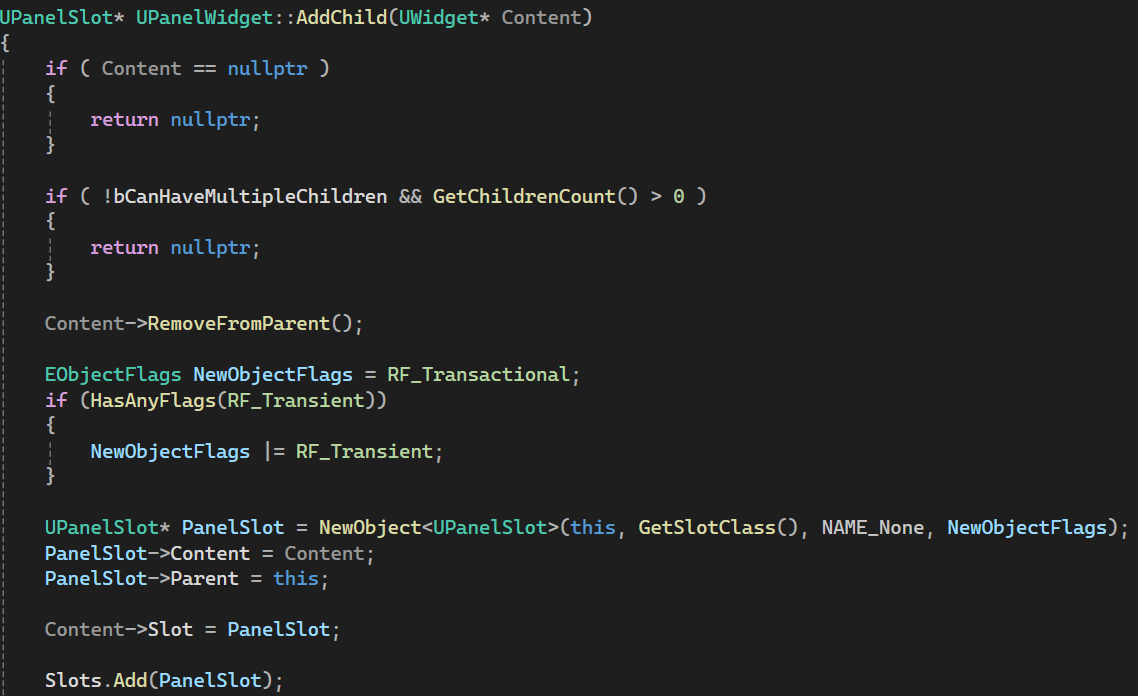
Note that UPanelWidgets do not hold the child UWidgets directly:
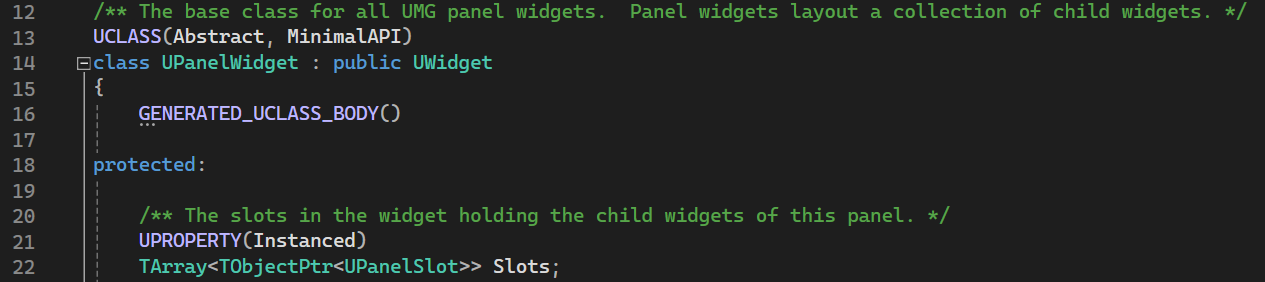
In UPanelWidget::AddChild() a new UPanelSlot is created and the UWidget passed into AddChild() is added to UPanelSlot's Content variable.
AddChild() is a popular function / node to use when adding new Widgets to Panel Widgets, but it's worth noting that UPanelWidget descendants all have their own version of AddChild. UOverlayWidget has AddChildToOverlay().

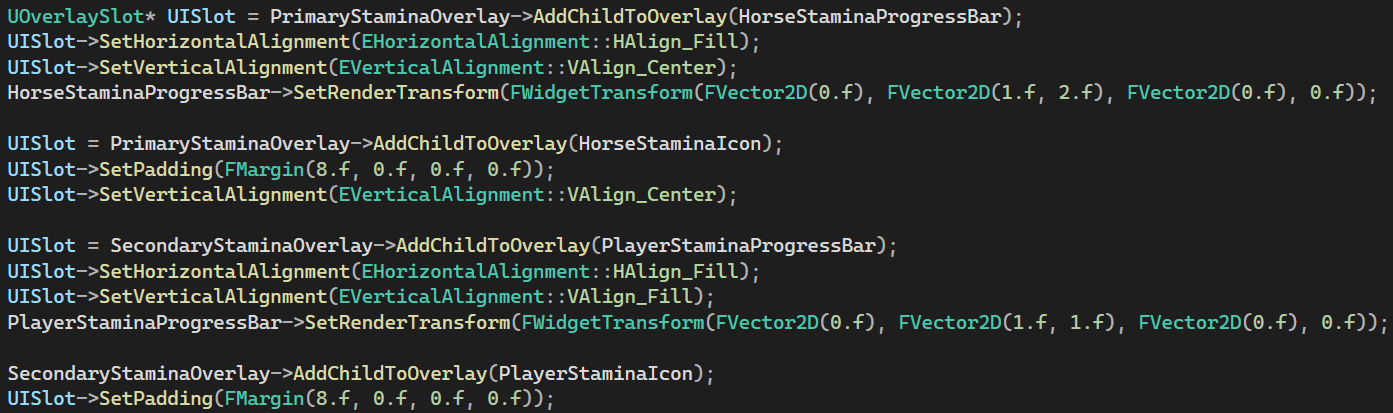
UPanelWidget::AddChild() returns the UPanelSlot* that the passed-in UWidget was added to, but the descendants all have their own version of UPanelSlot, like UOverlaySlot or UVerticalBoxSlot. If you use the AddChild*() function provided by the specific descendant you will receive back a pointer to the specific slot type your UWidget was added to.
Why Slots?
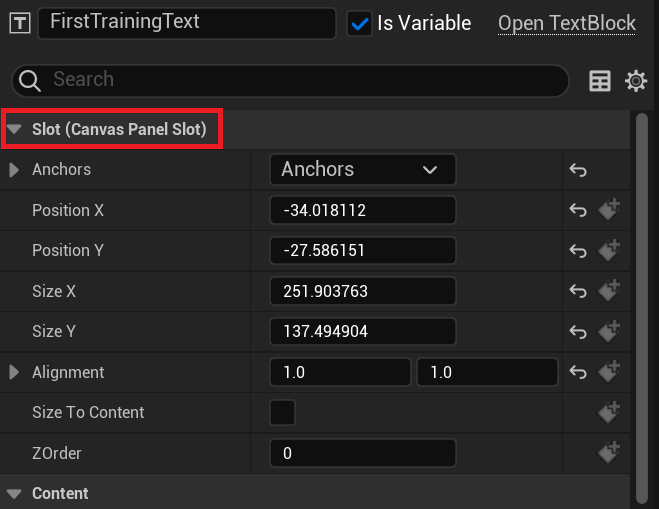
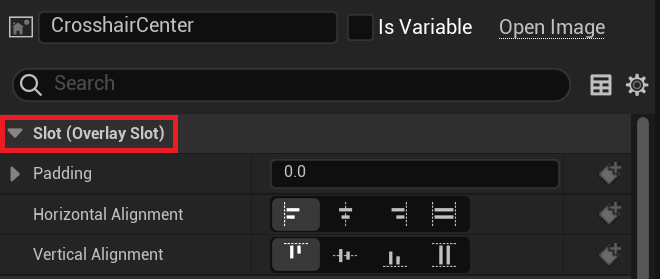
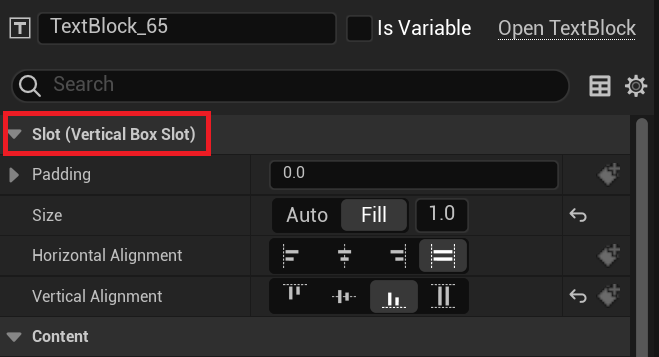
Notice how the Widget in the Canvas Panel has different layout options than the Widgets in the VerticalBox, which is different from the Widgets in the Overlay? This is because the Slots have different layout things that are allowed to be adjusted.
This details panel is not displaying the UWidget directly, but displaying information about the UPanelSlot, starting with the Slot's layout information, and then displaying the Content assigned to the Slot, aka the UWidget.
What does this mean to you?
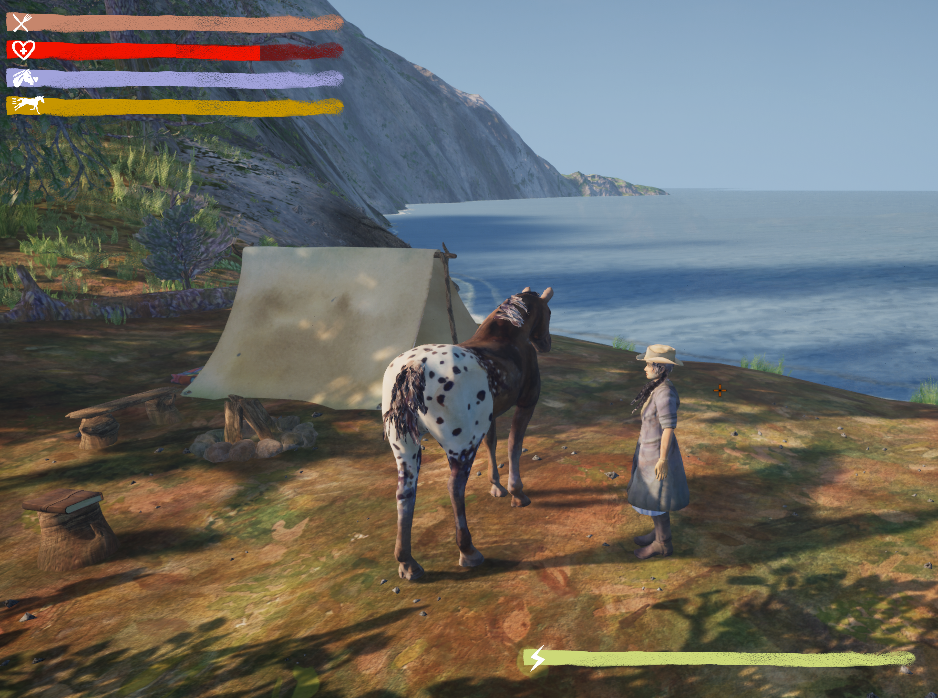
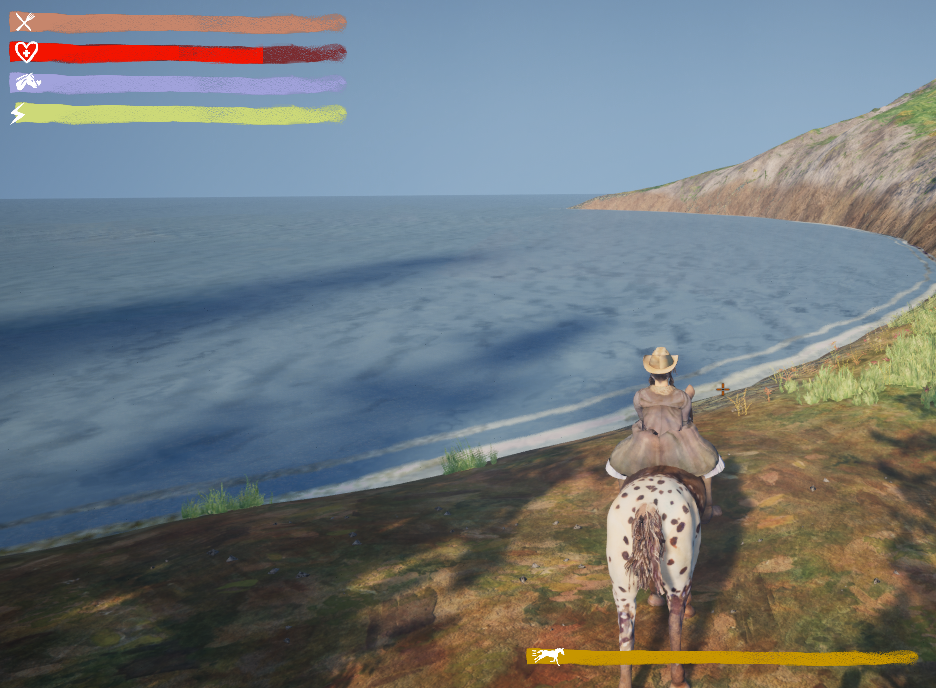
In this case I wanted to show the player's stamina bar in the lower center of the screen while the player is on foot. But while the player is riding the horse, I wanted to show the horse's stamina bar:
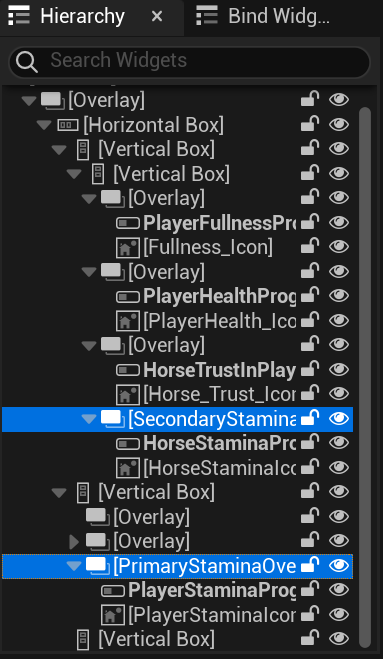
Here's my WBP_StatBars layout:
And here's the code to swap the bars when the player mounts the horse:
Check out my latest game: Wind's Heartbeat
And join the mailing list to stay updated! Wind's Heartbeat mailing list